NotesNeo
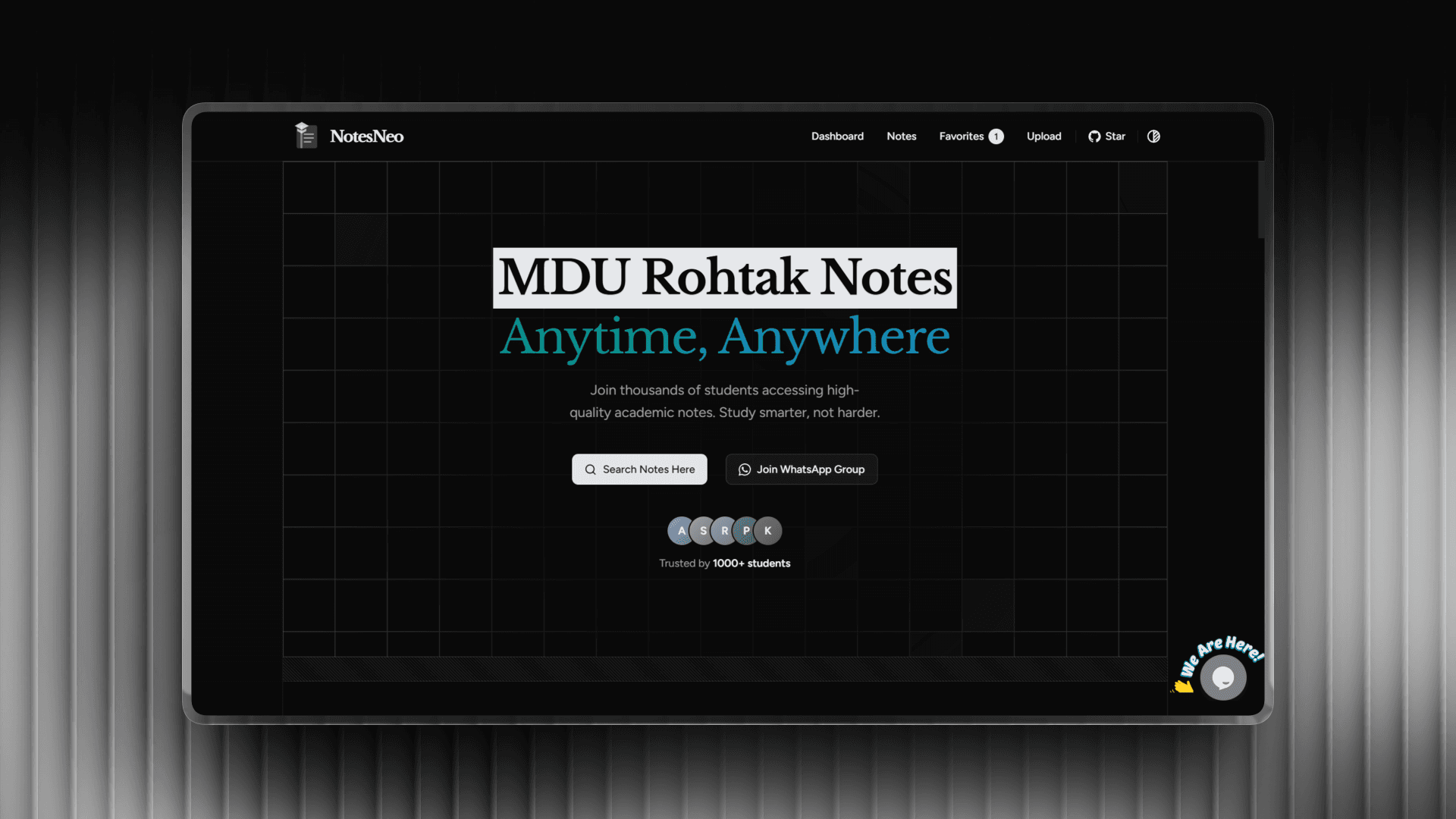
Overview
A comprehensive academic resource platform designed for engineering students. NotesNeo simplifies learning by providing a centralized hub for high-quality notes, organized by branch, semester, and subject. It features a personalized dashboard, favorites system, real-time search, and seamless Google Drive integration for downloads. Built with a mobile-first approach, it ensures students can study efficiently on any device.
Technical Implementation
Modern Frontend Architecture
Rebuilt with Next.js 16 (App Router) and React 19, utilizing server components for performance and client components for interactivity. Styled with Tailwind CSS v4 for a modern, responsive design system.
State Management & Persistence
Implemented a robust state management system using React Context API combined with LocalStorage to persist user preferences (branch, semester), favorites, and filter states across sessions without backend overhead.
Smart Filtering System
Developed an advanced filtering engine that handles independent filters for Branch, Semester, and Subject with automatic caching, allowing users to quickly drill down to specific resources.
Optimized Resource Delivery
Integrated Google Drive for reliable, high-speed PDF delivery while maintaining a lightweight application footprint. Features lazy loading and optimized asset delivery for fast initial load times.
Key Features
- Comprehensive collection of 80+ notes for BTech students
- Personalized dashboard with branch/semester specific recommendations
- Smart independent filtering for Branch, Semester, and Subject
- Local storage persistence for favorites and user preferences
- Real-time search by title, description, or subject
- One-click PDF downloads via Google Drive integration
- Dark/Light mode support with next-themes
- AI Chatbot support powered by Tawk.to
- Native Android app availability
- Responsive mobile-first design with Tailwind CSS v4
Screenshots
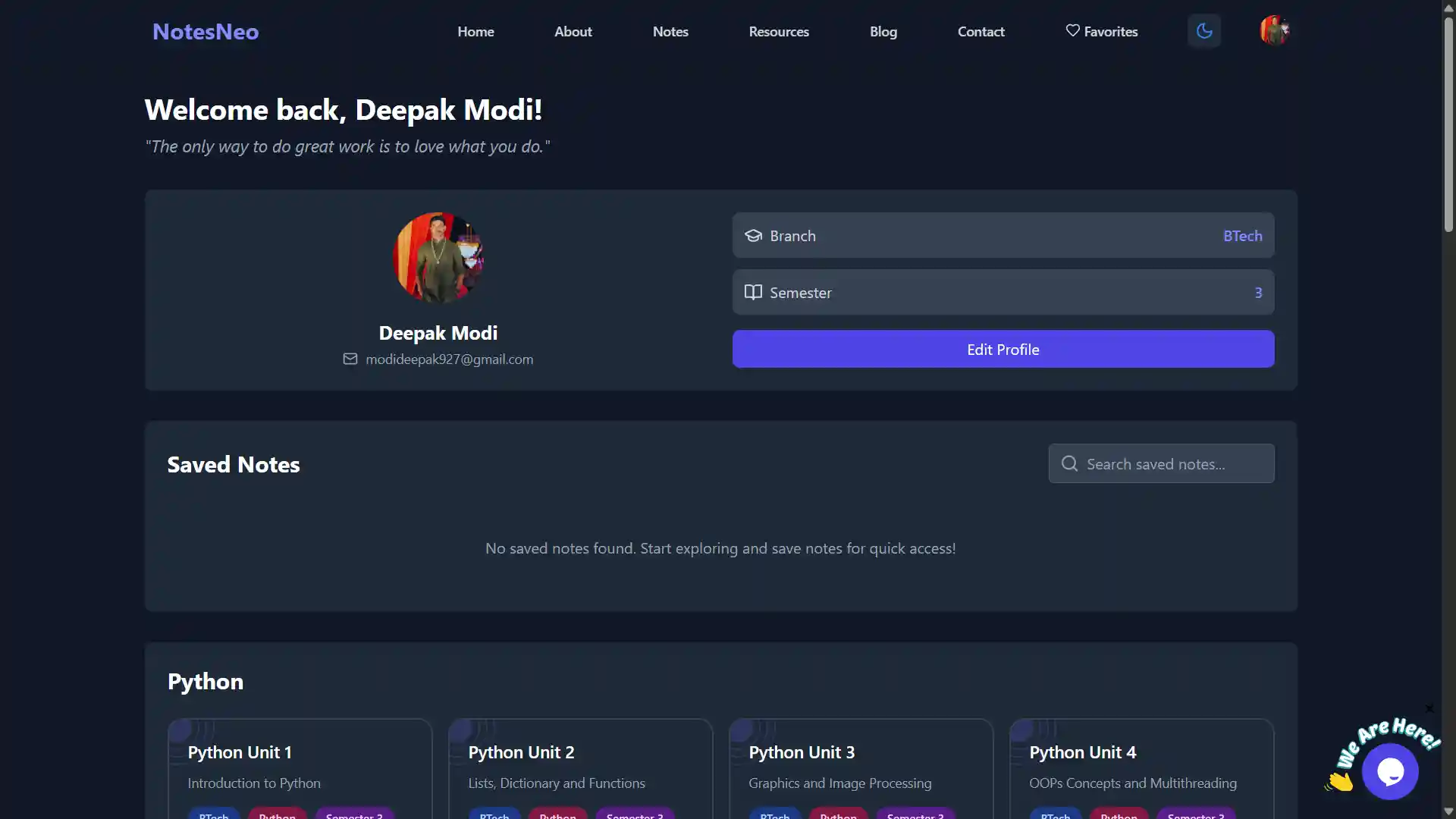
Personalized dashboard with branch and semester specific resources
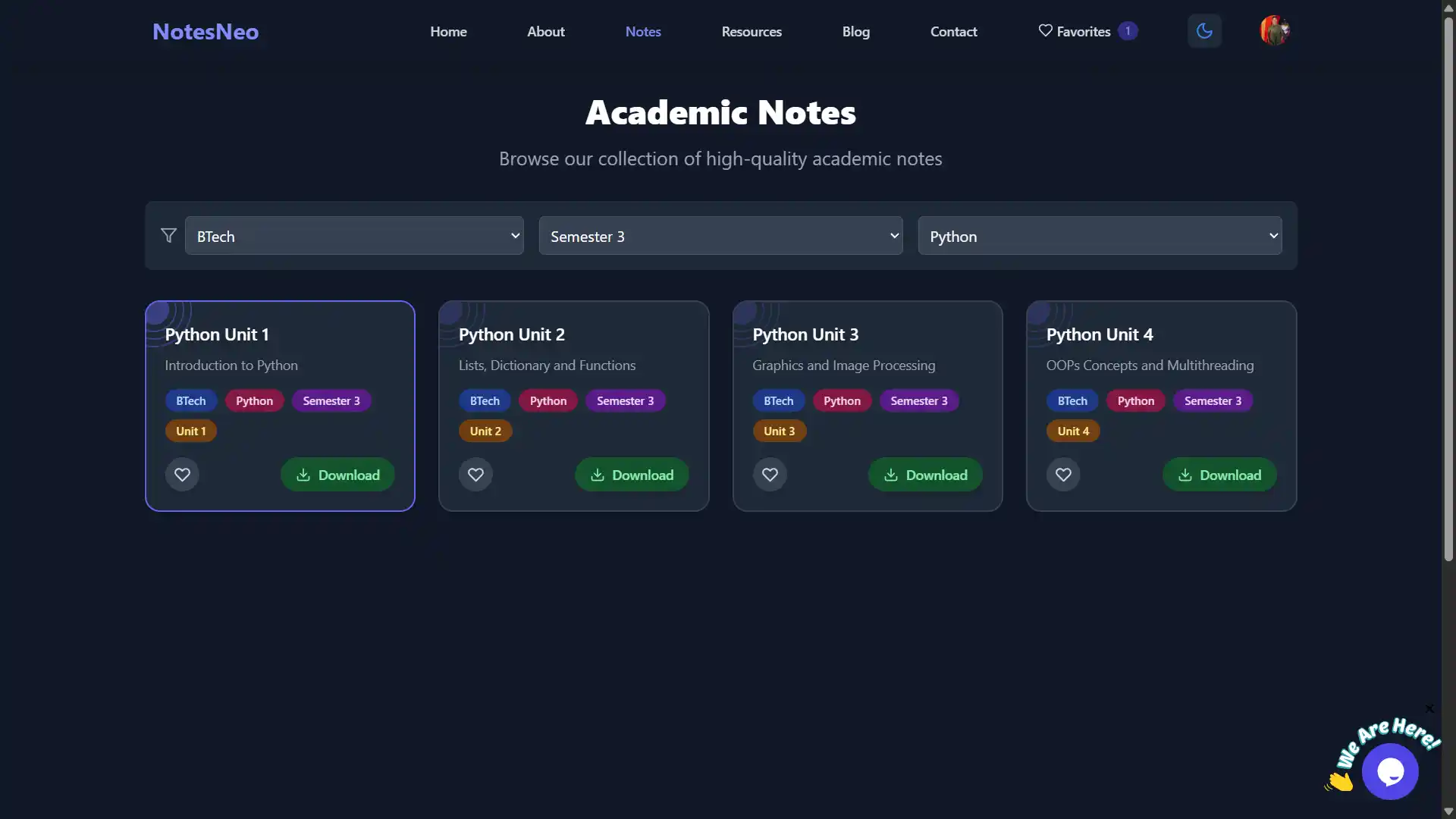
Smart filtering by branch, semester, and subject
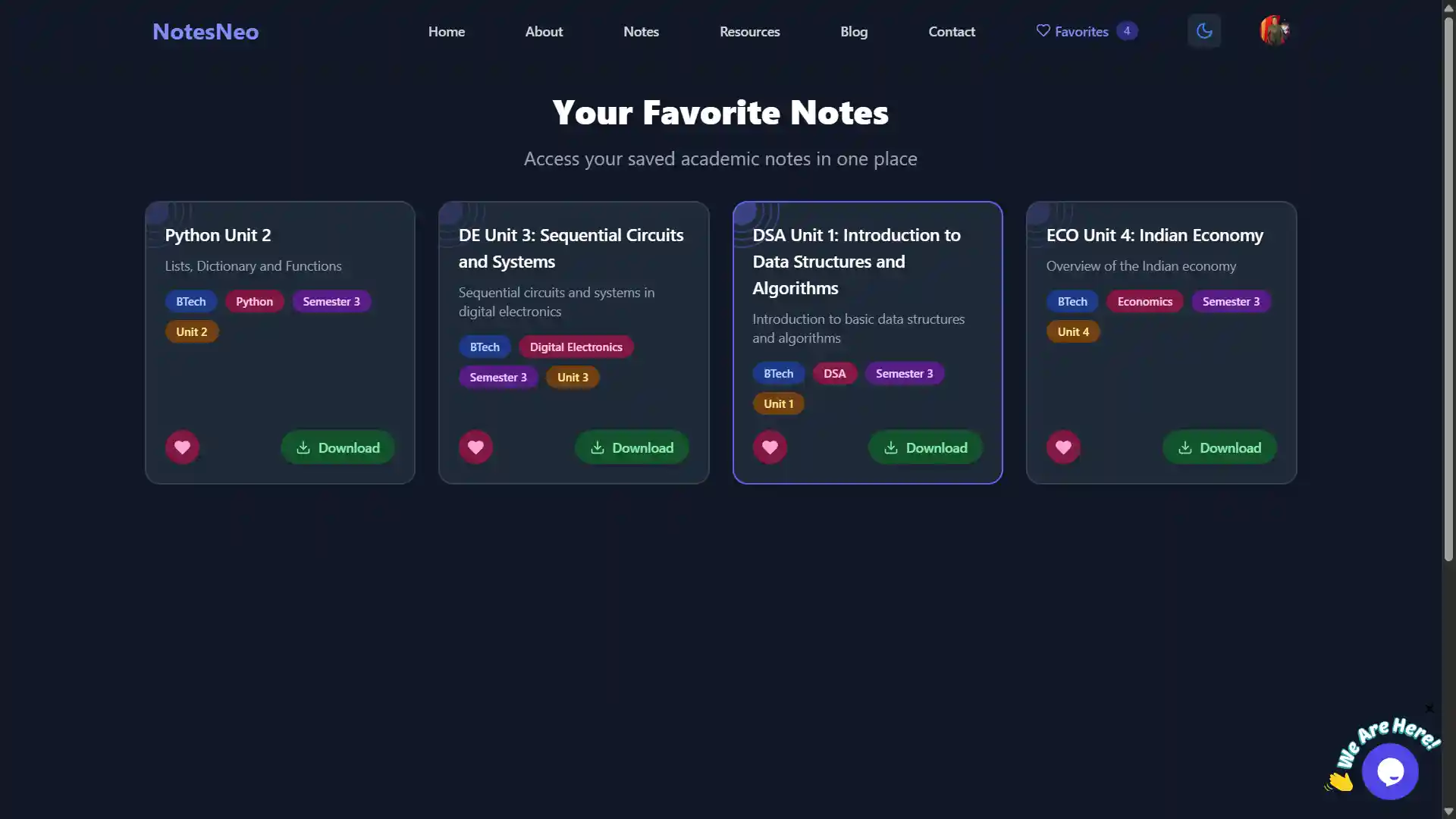
Save and manage favorite notes for quick access
Integrated community support and AI chatbot assistance
Challenges & Solutions
Challenge: Managing complex academic hierarchy (Branch -> Semester -> Subject)
Solution: Designed a flexible data structure and dynamic filtering logic that adapts available options based on previous selections while allowing independent filter usage for maximum flexibility.
Challenge: Providing personalized experience without backend database
Solution: Leveraged LocalStorage strategies to persist user profiles and preferences, creating a personalized dashboard experience that feels like a full-stack app while remaining serverless and fast.
Challenge: Ensuring consistent experience across diverse devices
Solution: Adopted a strict mobile-first design approach with Tailwind CSS, ensuring complex data tables and PDF viewers render perfectly on everything from budget smartphones to desktop monitors.
Challenge: Handling state synchronization across multiple routes
Solution: Utilized React Context API to create a global state store for favorites and user settings, ensuring instant updates across the dashboard, notes browser, and favorites pages.